Ahead
For parents that are looking for ways to get involved with homework. It's about encouraging and supporting those young minds at home.
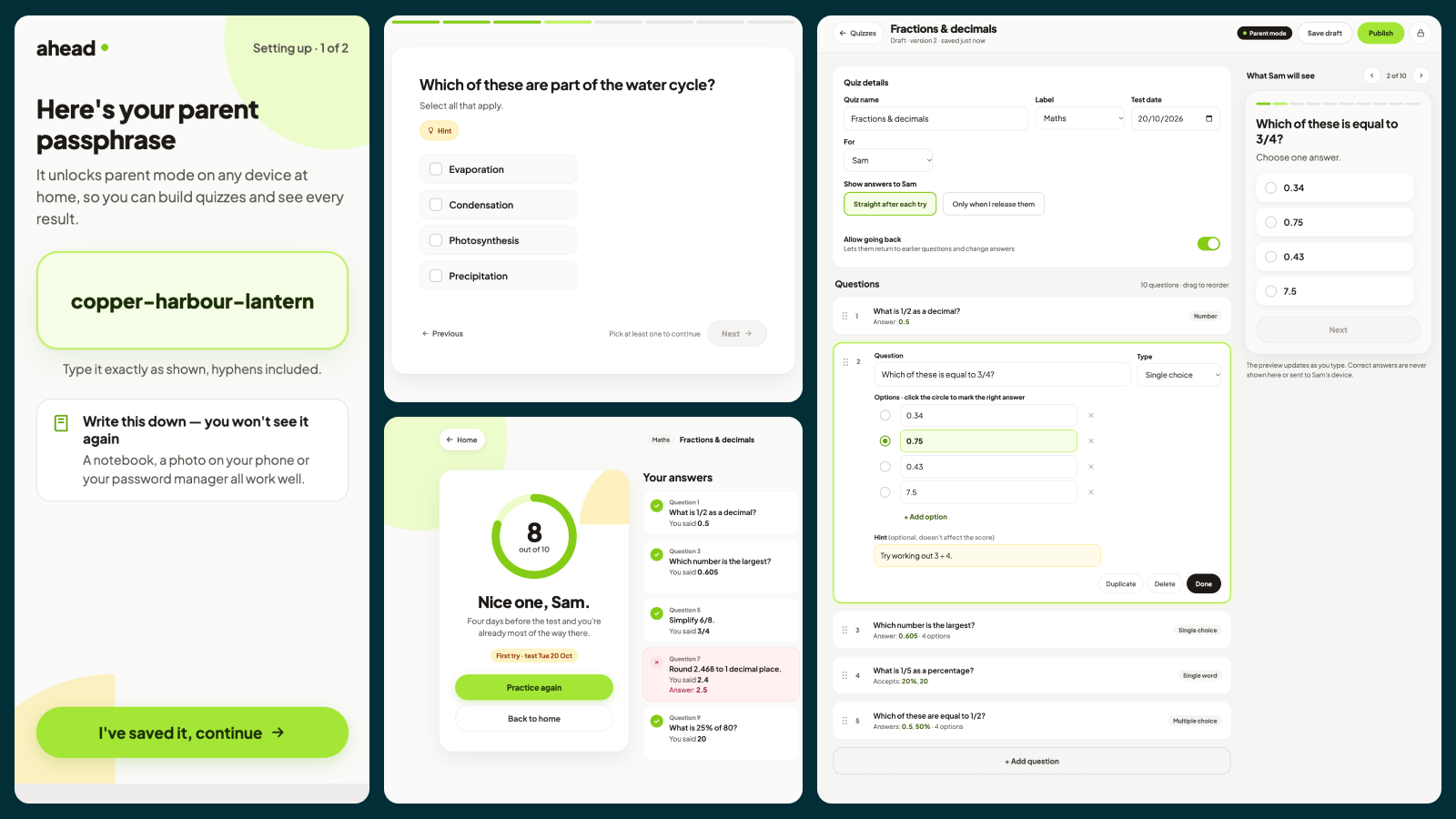
Ahead is a home quiz app for families. A parent builds short practice quizzes to prepare their children for upcoming school tests, and the children take them as often as they like, with every result saved to a shared report card. It runs on one computer on your home network, and anyone in the house can use it from a phone, tablet or laptop browser.
Who uses it
Children (11 to 15) open the app, tap their name once on each device, and see their quizzes. Tests coming up are listed first, with how many days are left. They answer one question at a time, can ask for a hint, and get their score straight away.
Parents unlock parent mode with a three-word passphrase like copper-harbour-lantern. They can build and publish quizzes, manage children, see everyone’s results, and decide when the correct answers are revealed.
Key features
No accounts. Children are just names, and the parent has one system-generated passphrase. If it’s forgotten, it can only be reset from the computer that runs Ahead. Quiz builder with four question types: single choice, multiple choice, number and single word. Each question can have an optional hint, and there’s a live preview of what the child will see. Each quiz has a test date, is assigned to a child, and can allow going back to earlier questions. Fair marking: answers are checked on the server, so the correct answers never reach a child’s device. Unlimited retakes, with every attempt kept, so progress shows over time. Answer reveal: straight after each attempt, or held until the parent releases them. Versioning: editing a quiz that’s already been taken creates a new version, so old scores still make sense. Quizzes move through draft, published and archived. Report card with each quiz’s attempts, latest and best scores, averages per label, and filters by label or child. Help pages: a short, friendly guide for children and a practical guide for parents.
Screens: first-run setup, child selection, home, quiz player, results, report card, help, parent unlock, quizzes list, quiz builder, settings, and a 404 page. Each has a phone and desktop design.
Look and feel: warm and modern rather than school-like. It uses lime as the main colour with amber accents, the Plus Jakarta Sans font, rounded cards and soft abstract shapes. It’s gender neutral and deliberately not babyish.